Introduction
Tutorials
System Architecture
Module Convention
Frontend System
The frontend system is built on Next.js 15 with App Router, providing server-side rendering, client-side interactivity, and a powerful component architecture. Each data model has its own frontend module for organized and maintainable code.
🎨 Architecture Highlights
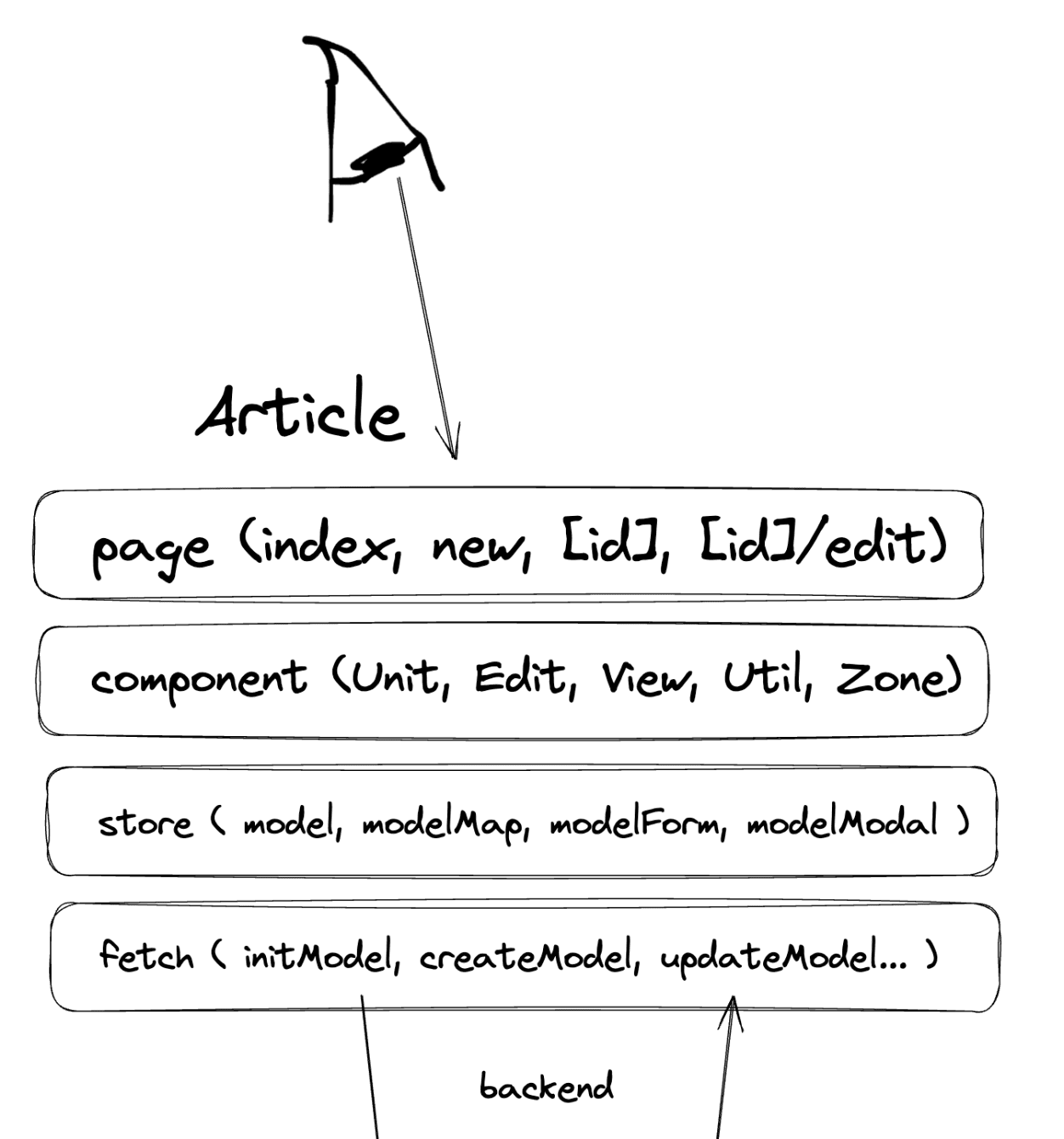
Each frontend module follows the pattern: Page → Component → Store → Fetch. This creates a clear data flow from UI to server synchronization.
Frontend Module Structure
Each frontend module has a layered structure that separates concerns and enables efficient development:
1Page
The entry point displayed to users. Pages compose Components and connect them to the Store for data and interactions.
2Component
Reusable UI building blocks (Unit, View, Edit, Util, Zone) that render data and handle user interactions.
3Store
Global state management with auto-generated hooks. Manages form data, lists, and synchronization with the server.
4Fetch
Auto-generated GraphQL API calls that sync Store state with the backend. Handles queries, mutations, and subscriptions.
Page Structure
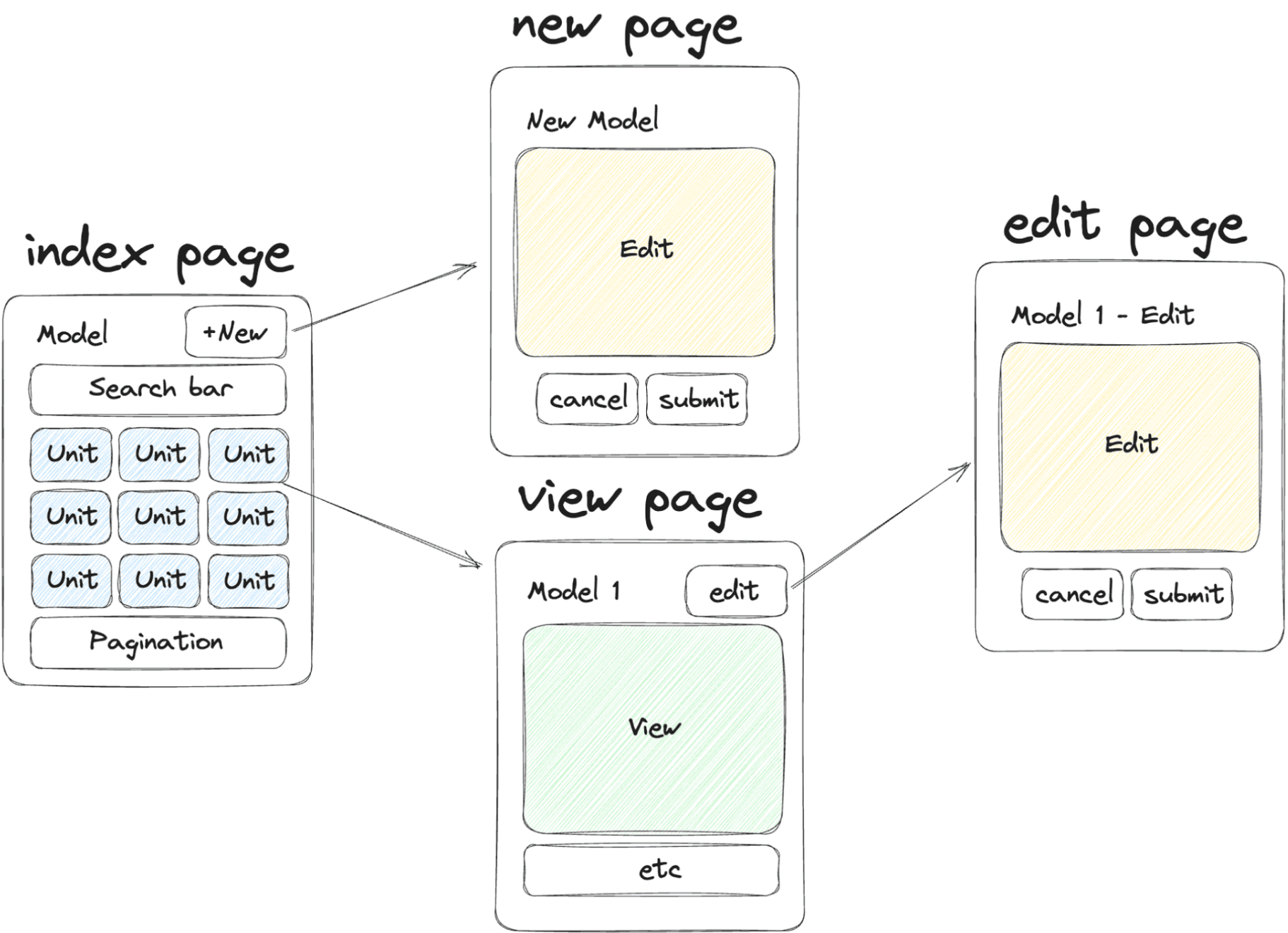
Data-based pages follow a standard CRUD structure with four main page types:
📋 Index Page
Lists and searches data units. Displays multiple items with filtering, sorting, and pagination capabilities.
➕ New Page
Creates new data entries. Renders a form with validation and submits to the server.
👁️ View Page
Displays a single data item in detail. Shows all fields and related data with full information.
✏️ Edit Page
Modifies existing data. Pre-fills the form with current values and updates on submission.
Component Types
Each data model has five component types, divided between server and client rendering:
ServerUnit
Renders summary view of data items. Receives LightType data and outputs HTML. Used in lists and grids on index pages.
ServerView
Renders full detail view of a single item. Receives FullType data with all fields and relations. Used on detail pages.
ClientEdit
Renders forms for creating and editing data. Connects to Store for form state and validation. Used in new, edit, and admin pages.
ClientUtil
Handles special interactions like likes, bookmarks, and custom actions. Connects to Store for state management and API calls.
ClientZone
Bridges SSR and client-side rendering. Combines Unit, View, and Util into container areas with loading states and real-time updates.
State Management
Akan.js auto-generates a comprehensive state management system for each model:
1
st.use.*: React hooks to read state values (e.g., st.use.icecreamOrderList(), st.use.icecreamOrderForm())
2
st.do.*: Actions to update state (e.g., st.do.setNameOnIcecreamOrder(), st.do.createIcecreamOrder())
3
st.slice.*: Access slice-specific state and actions for filtered data views