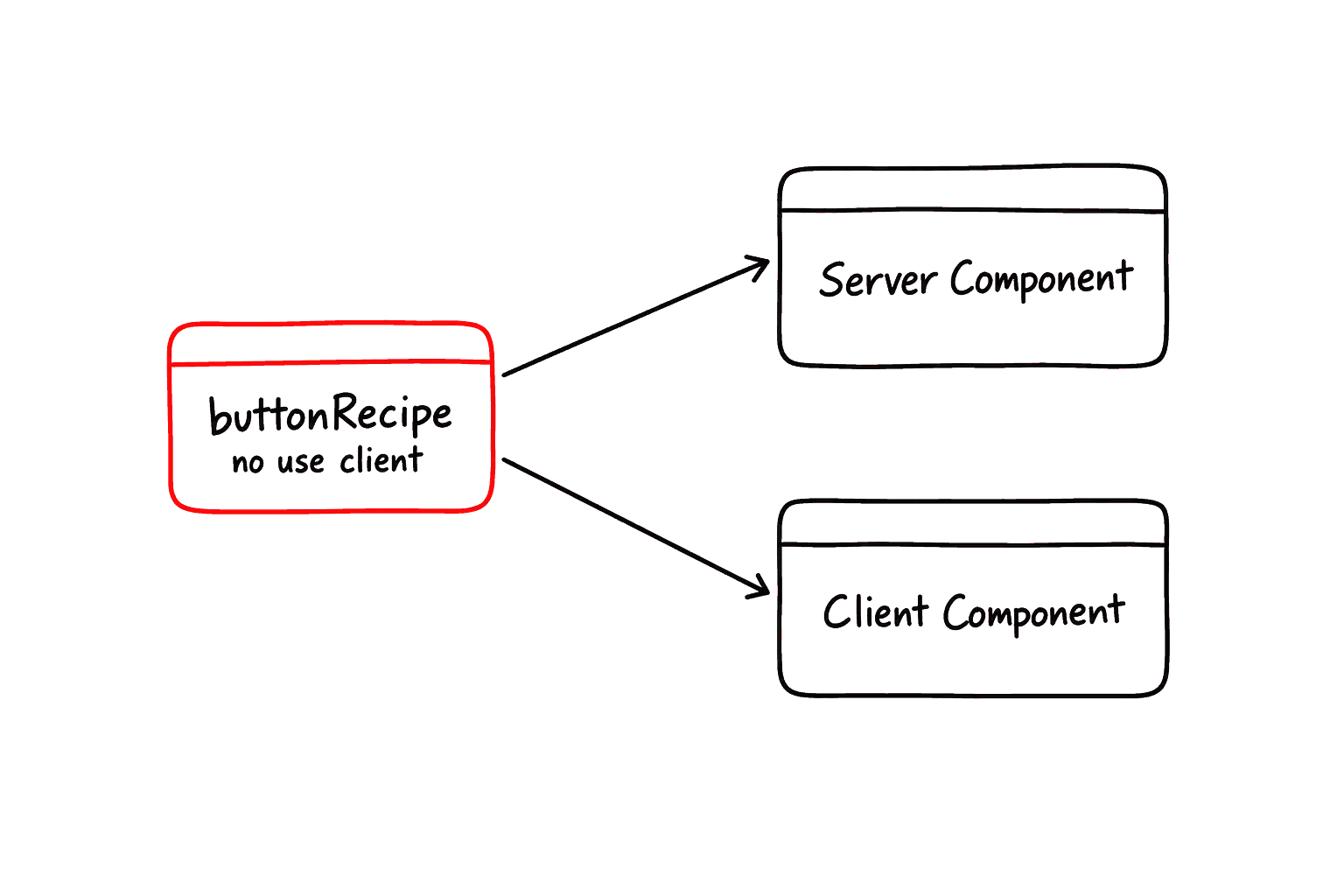
A primary button needs about a dozen classes. Written out on every button, those dozen classes drift apart, and changing the look means editing every copy. A recipe names that look once, and every button asks for it by name.
Technically, a recipe is a variant factory built on tailwind-variants, and it sits between the token layer and the components. Each layer answers one question and knows only the layer below it:
LayerWhat it does
tokens
CSS variables in styles.css. Theme-aware, server/client agnostic. What is this color?
recipes
Variant factories that compose tokens. Server-safe, no use client. How does it look?
components
Consume recipes and add interaction and state; use client only when needed. How does it behave?
Words used on this page
TermDescription
recipe
A function that returns the class string for one look, built with recipe(tv({ … })).
variant
One named axis of a recipe (variant, size, side) and the values it can take.
semantic token
A color named for its role (primary, background, destructive) instead of its value.
slot
A named place (button, badge, input) where a route's _overrides.tsx can swap a recipe.
Why a recipe works on both sides
One recipe, callable from both sides
A recipe module never carries "use client". It is a plain function that returns a className string, so both server and client components can call it. A server page can style a raw <Link> or <div> with buttonRecipe() directly.
Framework Recipes
akanjs/ui ships buttonRecipe, badgeRecipe and inputRecipe from a server-safe module, and the Button, Badge and Input components use the same recipes inside. So a raw element styled with a recipe looks exactly like the component.
Pass the variants as the first argument and any extra classes as the second. The recipe merges them with tailwind-merge for you, so you never wrap it in cn():
Bold values are the defaults. outline is a flag: it keeps the variant's color and draws it as an outline.
Every variant class is a semantic token (bg-primary, text-success-foreground …), so every value follows the theme automatically.
Recipes live in their own folder (akanjs/ui/recipe/, one recipe per file) precisely so they are not client-only. Exported from a 'use client' component file, a recipe called from a server component would throw 'client-only export'. The separate folder removes that boundary.
App-Level Recipes
Your app has repeating surfaces the framework knows nothing about: a gradient hero, an icon tile, a chat bubble. Instead of inlining the same class string everywhere, give each one an app recipe:
Add one file per recipe under the app's ui/Recipe/. App ui folders are PascalCase, so it is ui/Recipe/ even though the framework's is the lowercase ui/recipe/.
Build the factory with recipe(tv({ base, variants })). Both are re-exported from akanjs/ui.
Name it <name>Recipe and keep the file free of 'use client'.
Import it from the ui barrel. The folder's index.ts also re-exports the framework recipes, so one import path covers both.
apps/myapp/ui/Recipe/chatBubble.ts
The page then stops repeating class strings and reads its variant from data:
apps/myapp/page/(home)/inbox/chat.tsx
Call it the same way as a framework recipe: xRecipe(variants, className?). The second argument is merged internally, so no cn() is needed.
When To Reach For A Recipe
Recipes earn their keep when a class set is reused, conditionally composed, or needed from a server component. One-off classes should stay inline. Find your case in the left column:
Situation
New recipe
Variant
Inline
A class set you would otherwise repeat
Repeated or variant-like surface
✓
A status pill, a hero, a bubble or a tile: extract a recipe.
Class chosen from a fixed set by data
✓
Tone, size, side or status decides the class: make it a variant of a recipe.
Styling a server component or raw element
✓
A recipe is server-safe, so a server page can call it directly.
Recipe Override — Re-skin Without Rebuilding
Sometimes one section of the app needs a different look, say a neon admin area, but the components should behave exactly as before. A recipe override changes the look and nothing else.
A route's _overrides.tsx can swap a recipe slot (button, badge, input). Every framework client component that consumes that recipe re-skins across the whole route subtree, while its behavior (async states, focus trap, a11y) stays exactly as the framework ships it. Only the className factory changes.
First, write a recipe with the same variant surface as the one it replaces:
apps/myapp/ui/Recipe/neonButton.ts
Then bind it to the slot in the section's _overrides.tsx. The screens under it do not change a line:
apps/myapp/page/(section)/_overrides.tsx
What the swap reaches
Three Questions, One Invariant
Customization is decided once, at design-system setup, not per screen. Compare your design spec with the /lab catalog once, then run each difference through the questions below.
Q1. Does the theme differ?
Color · radius · font
Yes → Override token values in the app's page/styles.css.
No → Keep the Akan defaults.
Q2. Does a component look differ?
Same structure, different skin
Yes → Write an app recipe and inject it through the recipes of _overrides.tsx.
No → Use it as it is.
Q3. Does structure or behavior differ?
For example, modal → drawer
Yes → Write a component override that reassembles the headless parts.
No → Not needed.
A surface the lib does not have?
A chat bubble, a tile
Yes → Add a new app recipe. It is an extension with no lib counterpart, so nothing conflicts.
No → Use the lib's recipe.
A class you write once
Genuinely one-off className
✓
Keep it inline. Do not over-abstract.
✓Reach for thisNot this
Caller
New look
Canonical
Inside the route subtree
Framework client components
✓
Button, Badge, Input, Dropdown, Pagination … read the slot, so they re-skin.
Server components (Unit, View)
✓
They keep the canonical recipe.
buttonRecipe(...)
✓
A raw call in your own JSX keeps the canonical recipe; import your own recipe there instead.
✓Uses this recipeNot this one
The swap recipe must accept the framework recipe's full variant surface, so every call site keeps working. It only reaches components that read the slot; where you call buttonRecipe(...) yourself, import your own recipe instead.
The invariant: the screen code, a plain <Button>, never changes whatever the answers are. Only config files do.
App recipes extend: they add surfaces the lib lacks, and never re-define a lib component in parallel. To change a lib component's look, use a recipe override, not a parallel button recipe. When the same className tweak repeats, promote it to a recipe override (app-wide) or a variant.